Open your Network tab and watch nothing leave
Any converter can print the word private. The point of BalanceProof is that you do not have to believe it. Your browser already ships the tool to check: the Network tab lists every request a page makes. Convert a statement with it open and the list stays empty.
You do not have to leave this page to see it, either: the converter carries the same readout built in - the same thing, live on the converter page. Drop a statement there and watch the count for yourself, no developer tools required.
Why proof beats a promise
A statement holds a client’s account numbers and running balances. When a website says it does not keep your file, you normally have to take that on trust - there is no way to see inside their server. Reading the PDF in your own browser tab removes the question: there is no server copy to trust, because the file never travels to one. And unlike a promise, you can confirm it in about a minute.
Watch it in about a minute
Open developer tools
Press F12, or right-click the page and choose Inspect. In Chrome, Edge, or Firefox a panel opens at the side or bottom.
Switch to the Network tab
It lists every request the page makes. Leave it open and, if there is a checkbox for it, tick Preserve log so nothing clears.
Drop a statement and export it
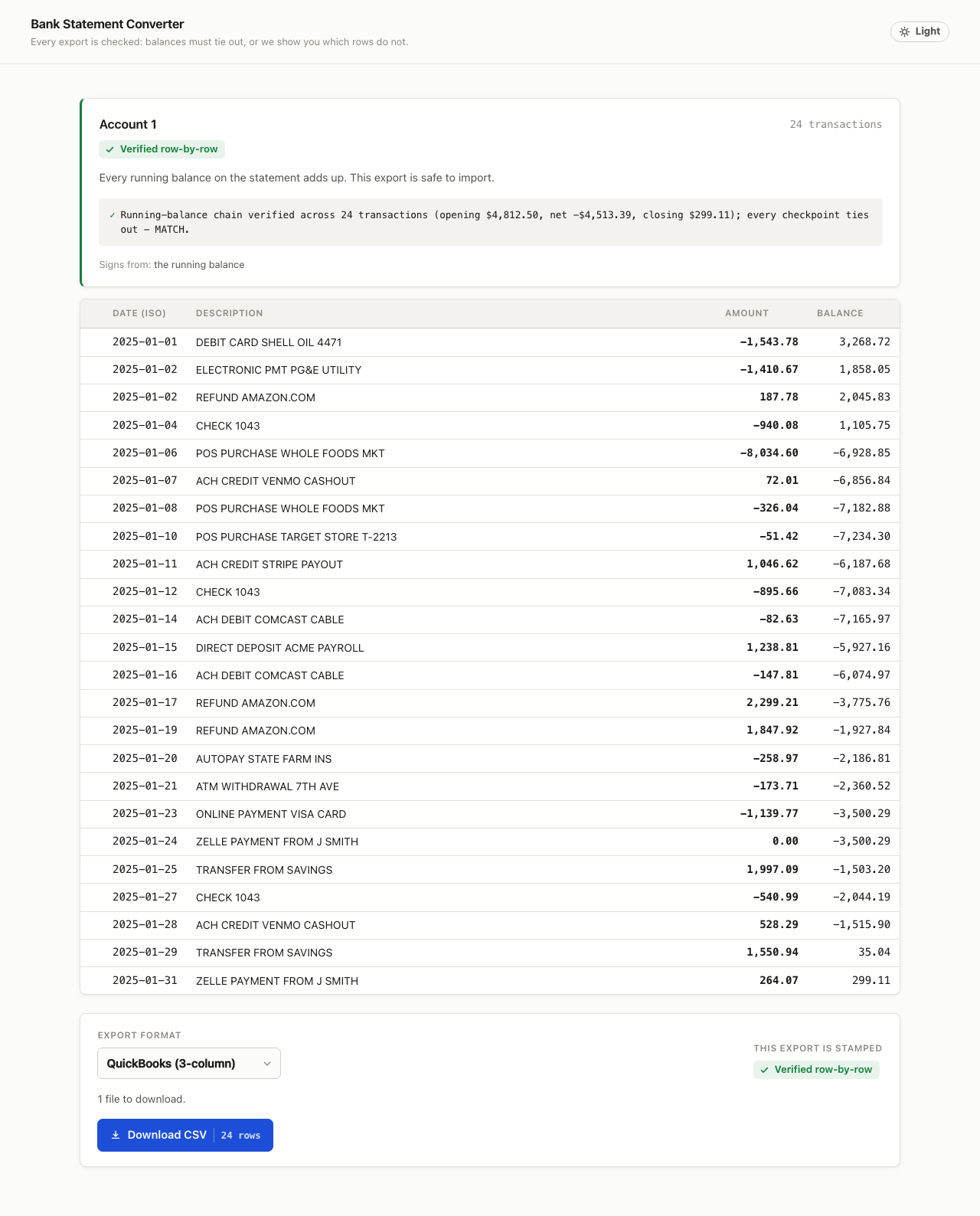
Convert as normal, review the reconciliation stamp, and download a file. Watch the request list while you do.
Read the list
No request carries your statement. The rows you may see at first load are this page’s own code and the reader chunk, all from this same site. After that, the list stays quiet through the whole convert-and-export flow.
What does leave the browser, and when
Being honest means naming the exceptions. Three things can go out - none of them your statement, and none during a conversion.
| What | When | Where | Contains your statement? |
|---|---|---|---|
| Usage beacon (counts + page id) | Once, after an export completes, or when you close the tab | A single request to this same site, /api/e | No - event counts, a page-count bucket, and which page it came from (a fixed id, not the raw URL) - no text, no identifiers |
| License key check | Only when you type a key and press validate | Polar at api.polar.sh | No - only the key you typed |
| Checkout | Only when you click an upgrade button | The Polar-hosted checkout page you navigate to | No - it is a normal link to a payment page |
The exact usage payload
The beacon is one small message. This is its whole shape - there is nothing else in it, no cookie, no user-agent record, no timestamp beyond the request’s own arrival.
{
  v: 1,
  events: {
    page: 1, dropped: 2, parsed: 2,
    rowVerified: 1, failed: 1, exported: 1,
    paywall: 0, checkoutClick: 0
  },
  pagesBucket: '1-5' | '6-20' | '21-100' | '100+',
  route: 'convert/chase'
}
You can block it and keep working
The beacon is fire-and-forget. Block /api/e in your browser or an extension, or work offline after the page loads, and the converter behaves exactly the same - it never waits on the network and never retries. The counts help decide which banks to support next; nothing about the tool depends on them reaching us.
How it works, in plain words
- The PDF is read by a reader that runs inside a background thread in your browser tab, so the page stays responsive. The file is handed to it in memory - it is never sent over the network.
- From the text and its positions, rows and columns are worked out: date, description, amount, and running balance where the statement prints one.
- The reconciliation check adds the opening balance to each transaction and compares the result against the printed balances. Where they disagree, the row is flagged.
- Export files are assembled in memory and handed to your browser as a download. The bytes never make a round trip to a server.